Marshal is an existing application used by the R&D team to create workflows that define how laboratory instruments interact with each other. The backend system communicates with instruments by providing source and destination locations, along with the instructions required for processes such as hit picking.
While Marshal was built around a node-based workflow structure, the existing frontend did not support this interaction model, making it difficult for users to understand and manage complex workflows. Users struggled with navigating the application, visualizing relationships between processes, and efficiently creating and editing workflows.
I was tasked with improving the overall user experience by redesigning the interface and building a node graph editor that better represented how users think about and configure workflows.
Due to limited development resources, I took ownership of the entire design process, including user research, UX/UI design, user testing, and frontend development. I utilized modern development tools, including Cursor AI, to help bridge the gap between design and implementation and accelerate the development process.
UX/UI Design
User Research
Interactive Design
Frontend Development
Process:
I began by shadowing members of the R&D team to understand how each user interacted with Marshal and identify challenges within their existing workflows. This helped me understand the different user perspectives and the complexity of the processes being managed within the application. Following these observations, I facilitated three roundtable sessions where users could discuss pain points, share their workflows, and prioritize the improvements that would have the greatest impact. During these sessions, I created quick digital layouts and prototypes to validate ideas in real time and understand which solutions resonated most with users.
Insights:
The research revealed several key opportunities for improvement:
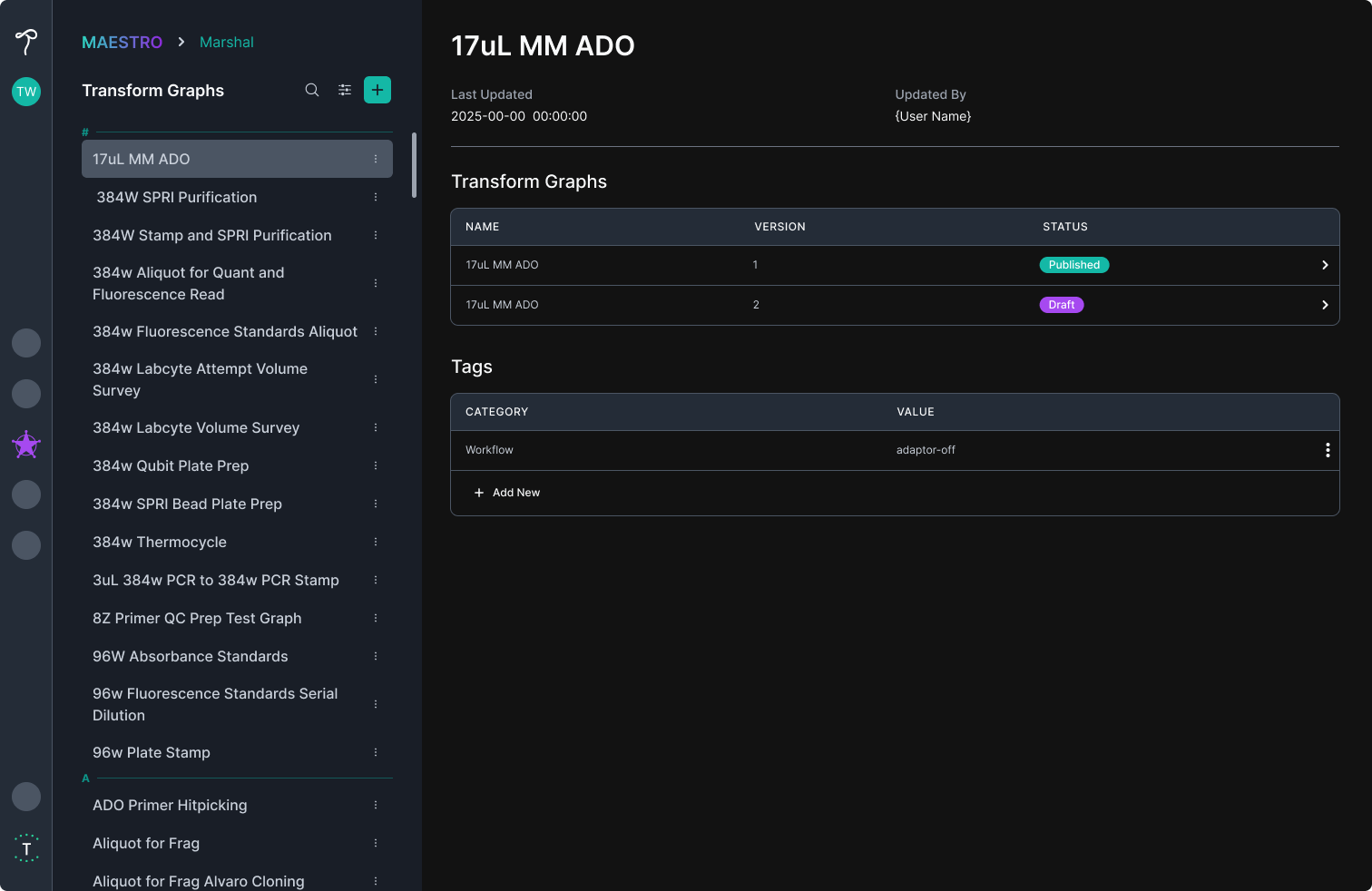
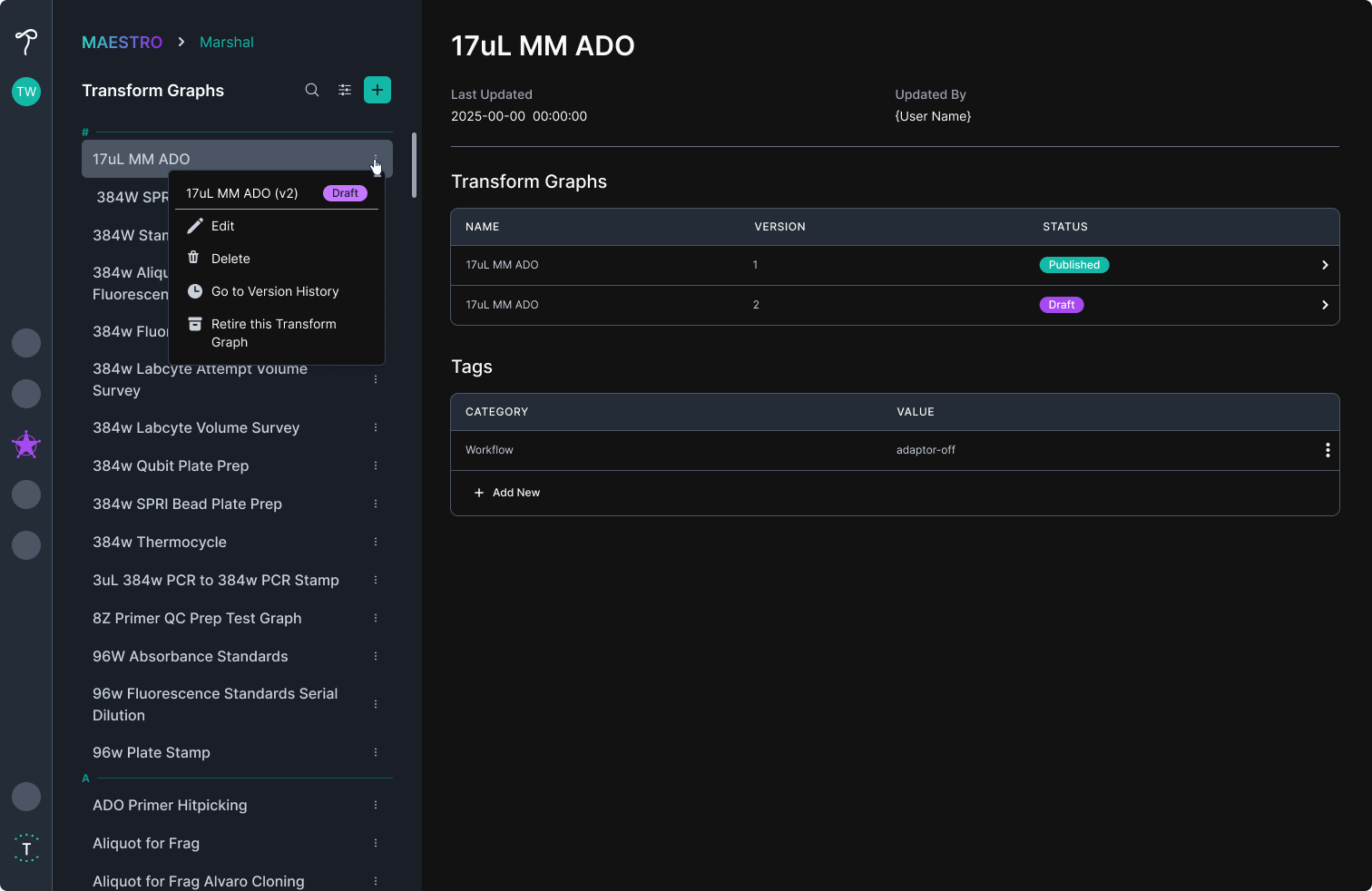
1. Improved Navigation: The home page needed better search and filtering capabilities, along with quick actions directly from the workflow list to help users find and manage projects more efficiently.
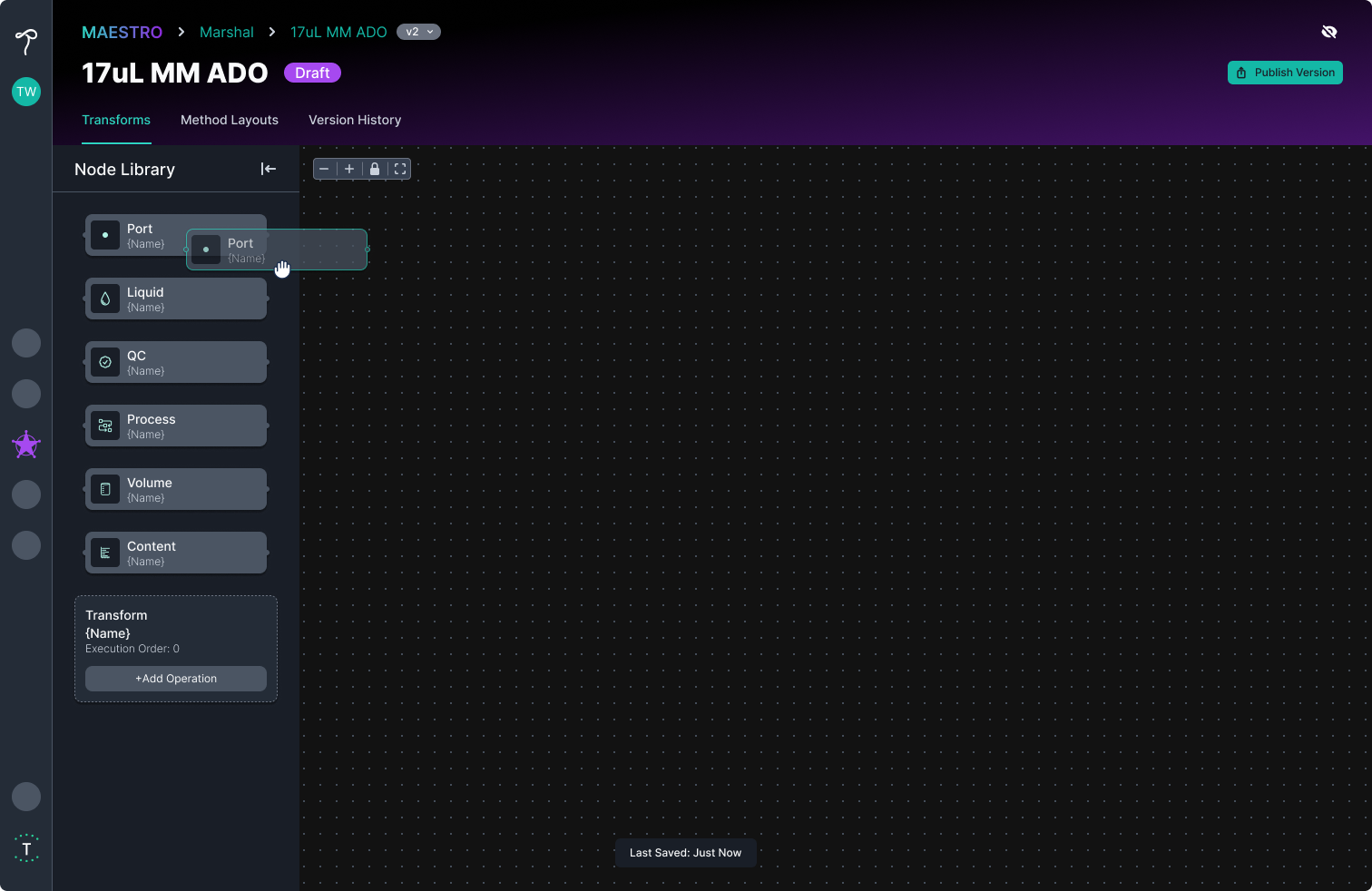
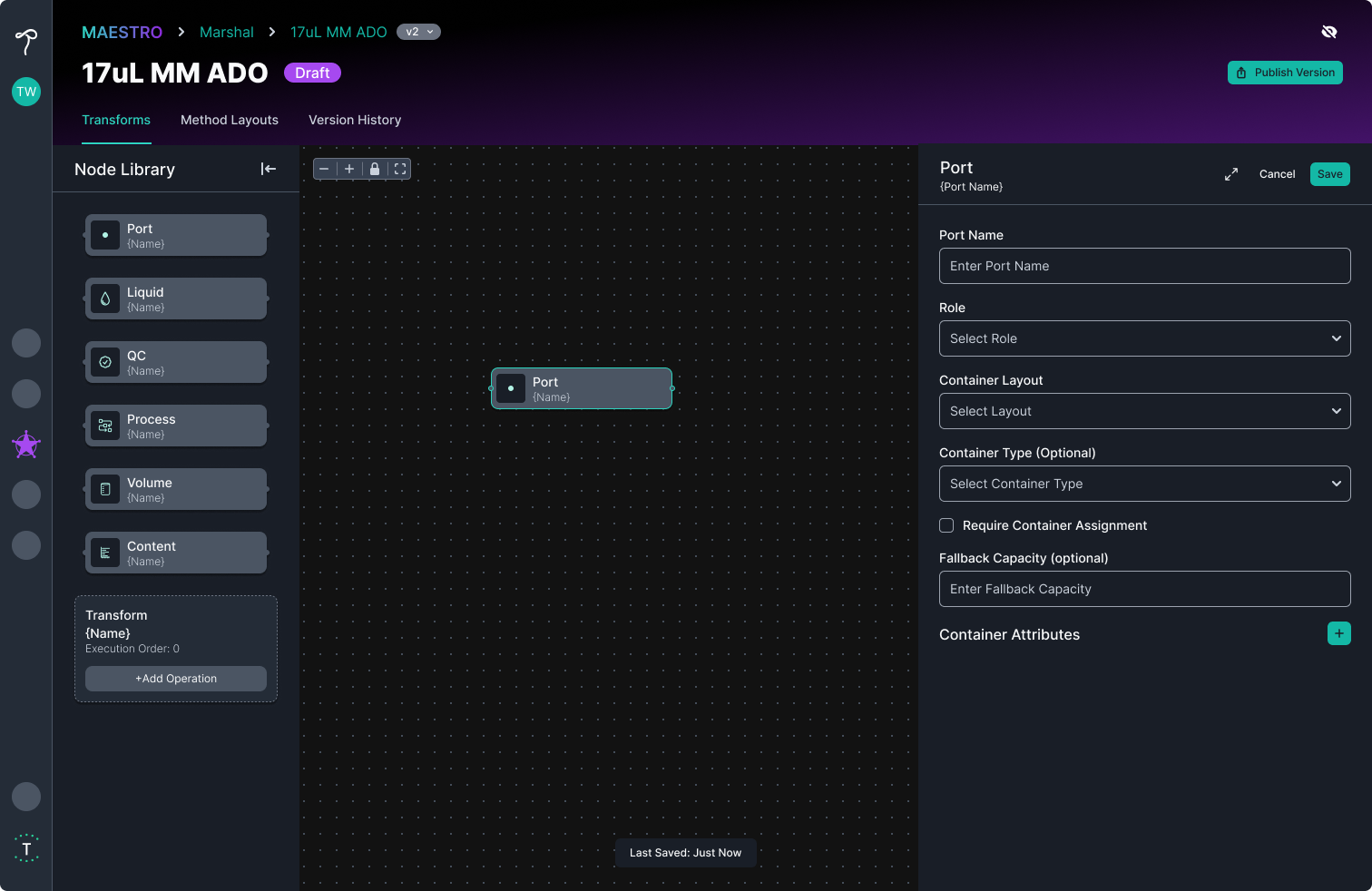
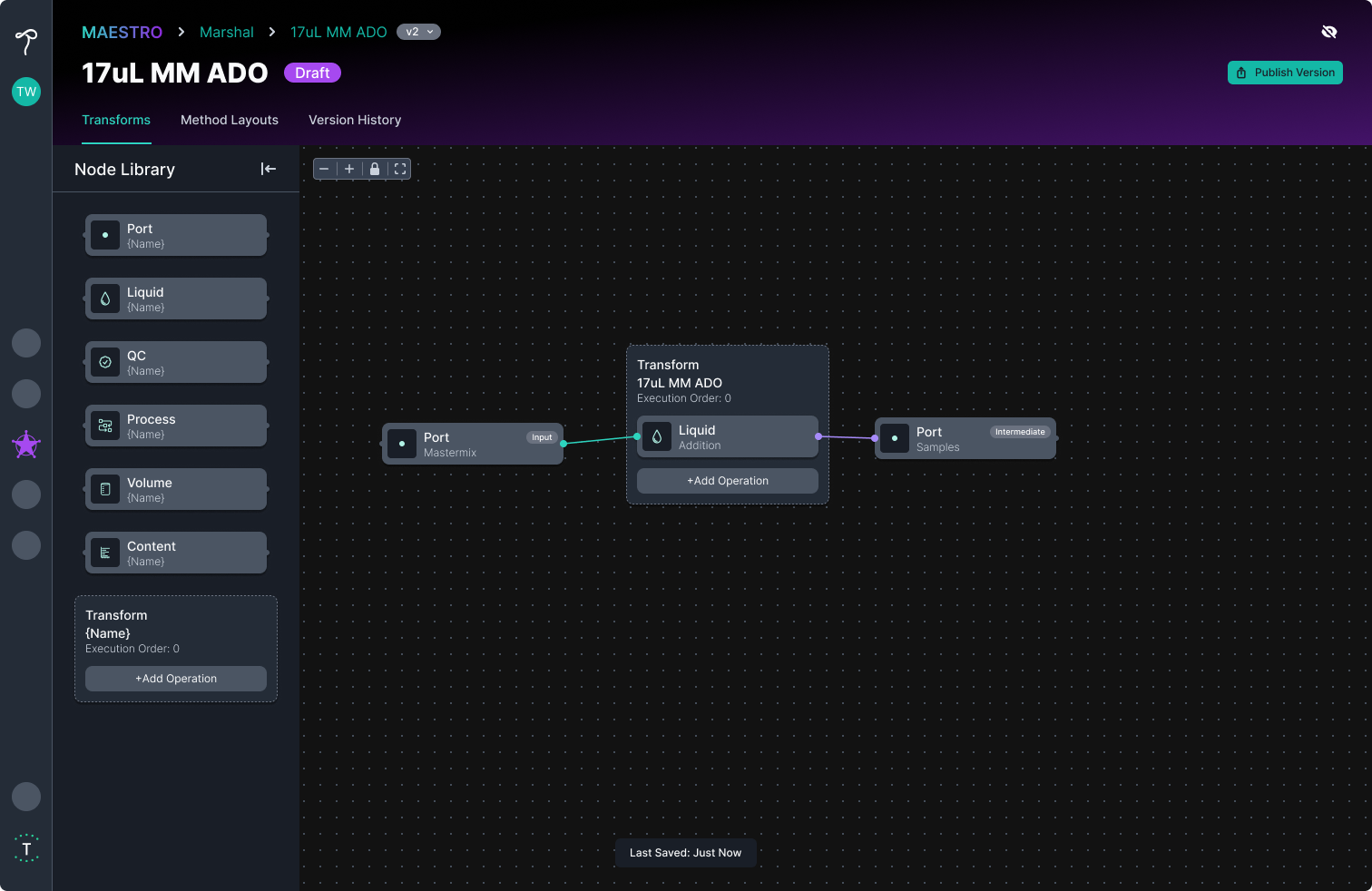
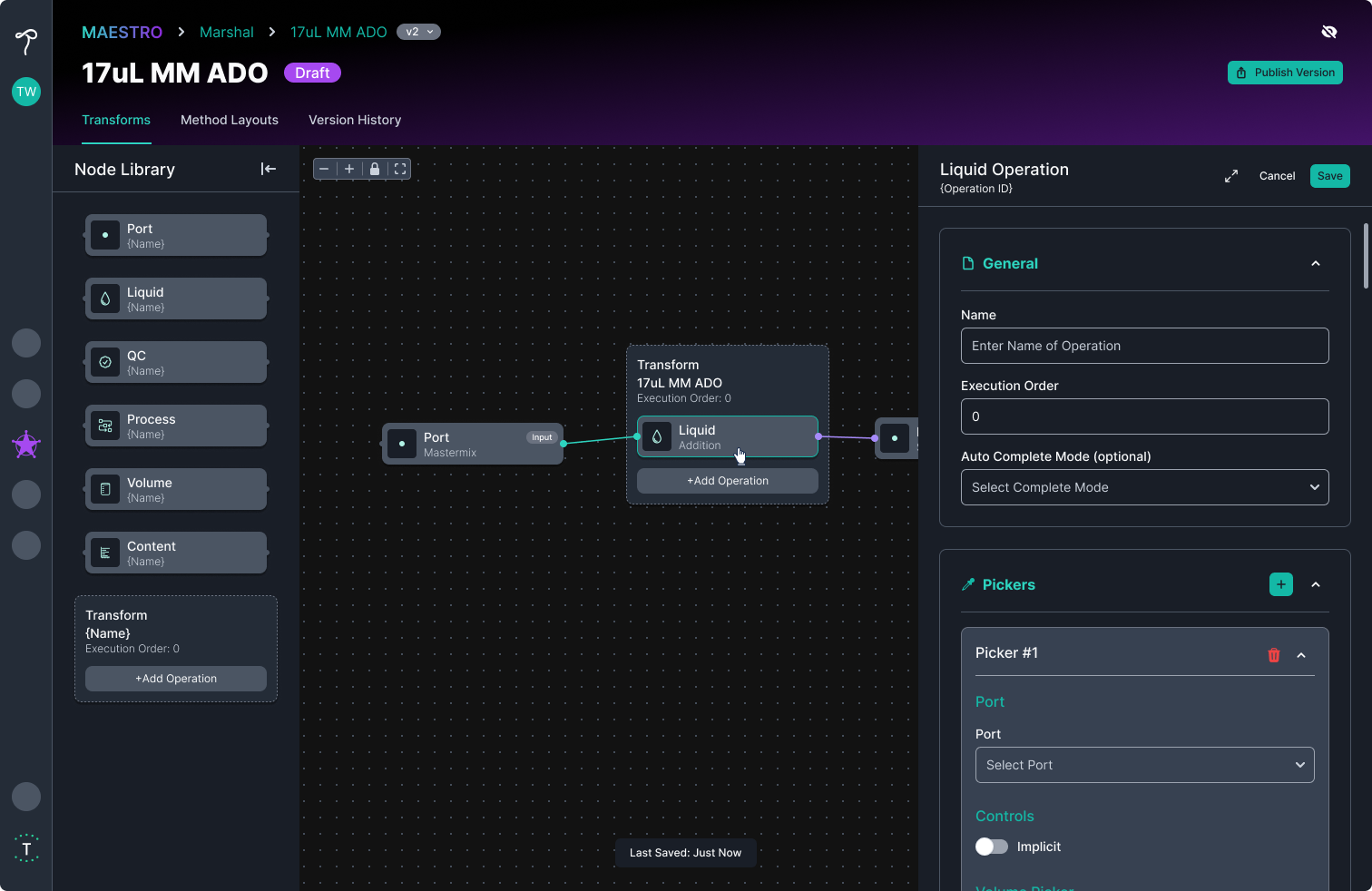
2. Visual Workflow Creation: The Transform section needed to become a true node graph editor, allowing users to visually build workflows, configure ports, and define operations.
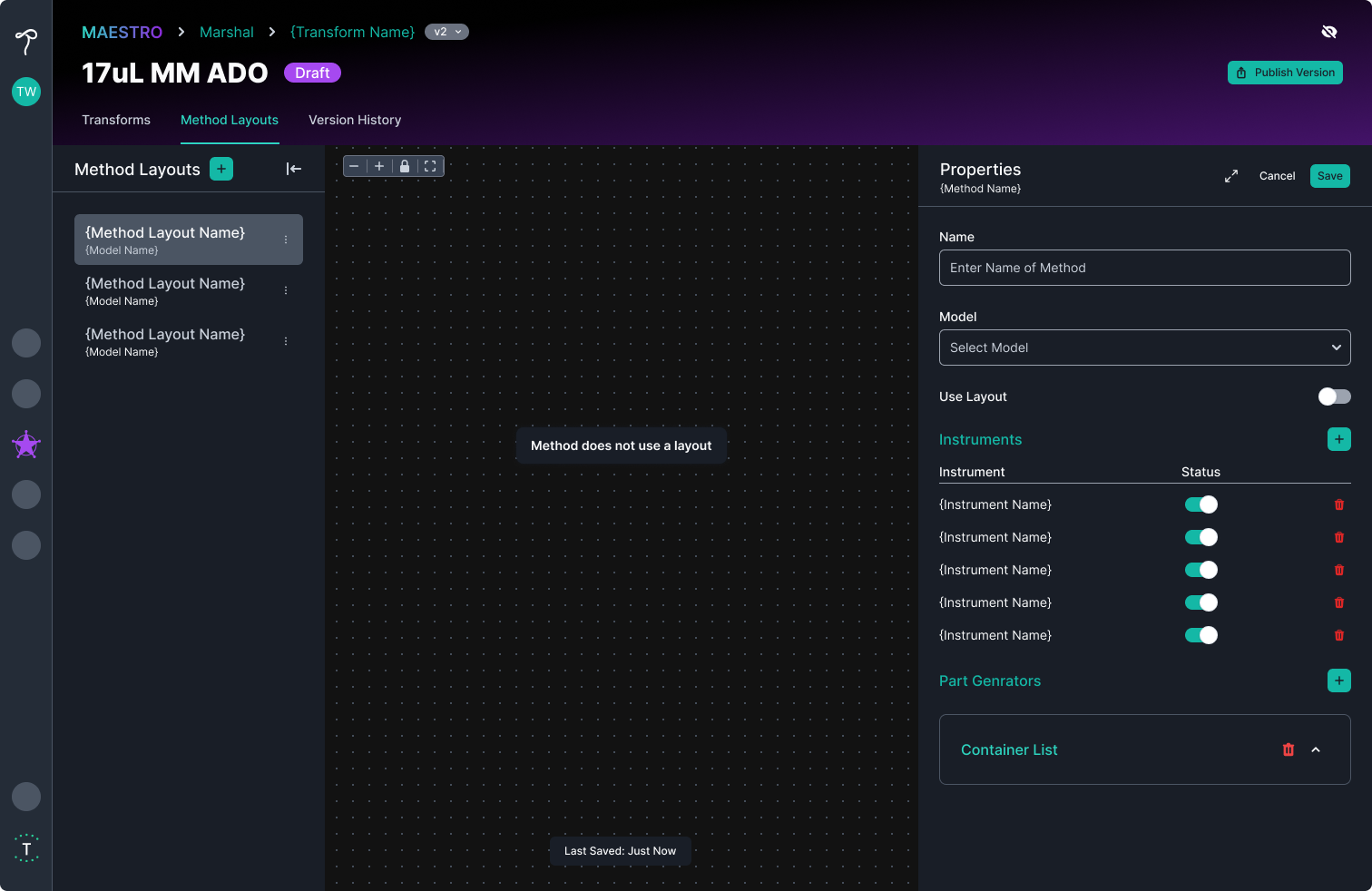
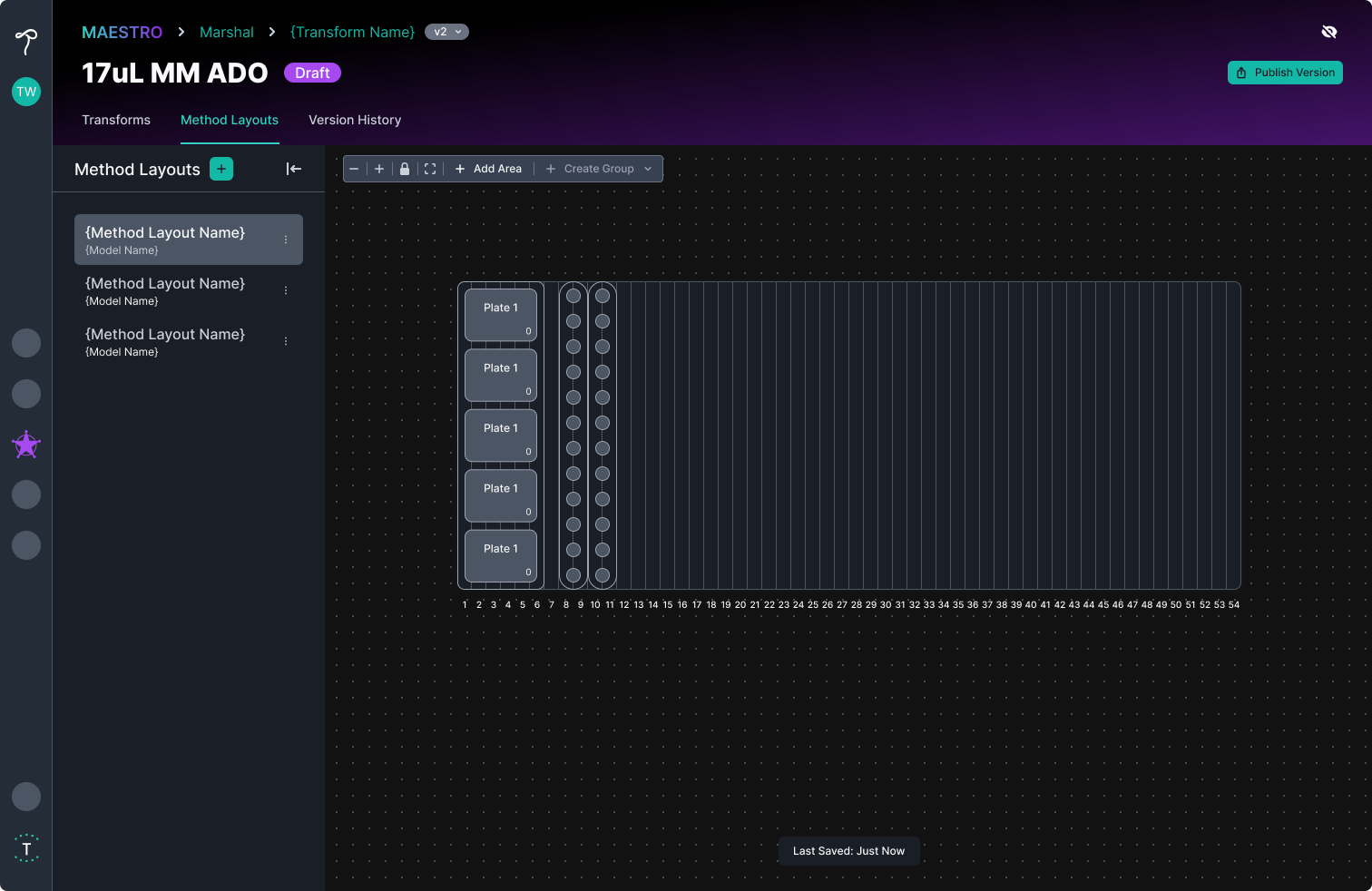
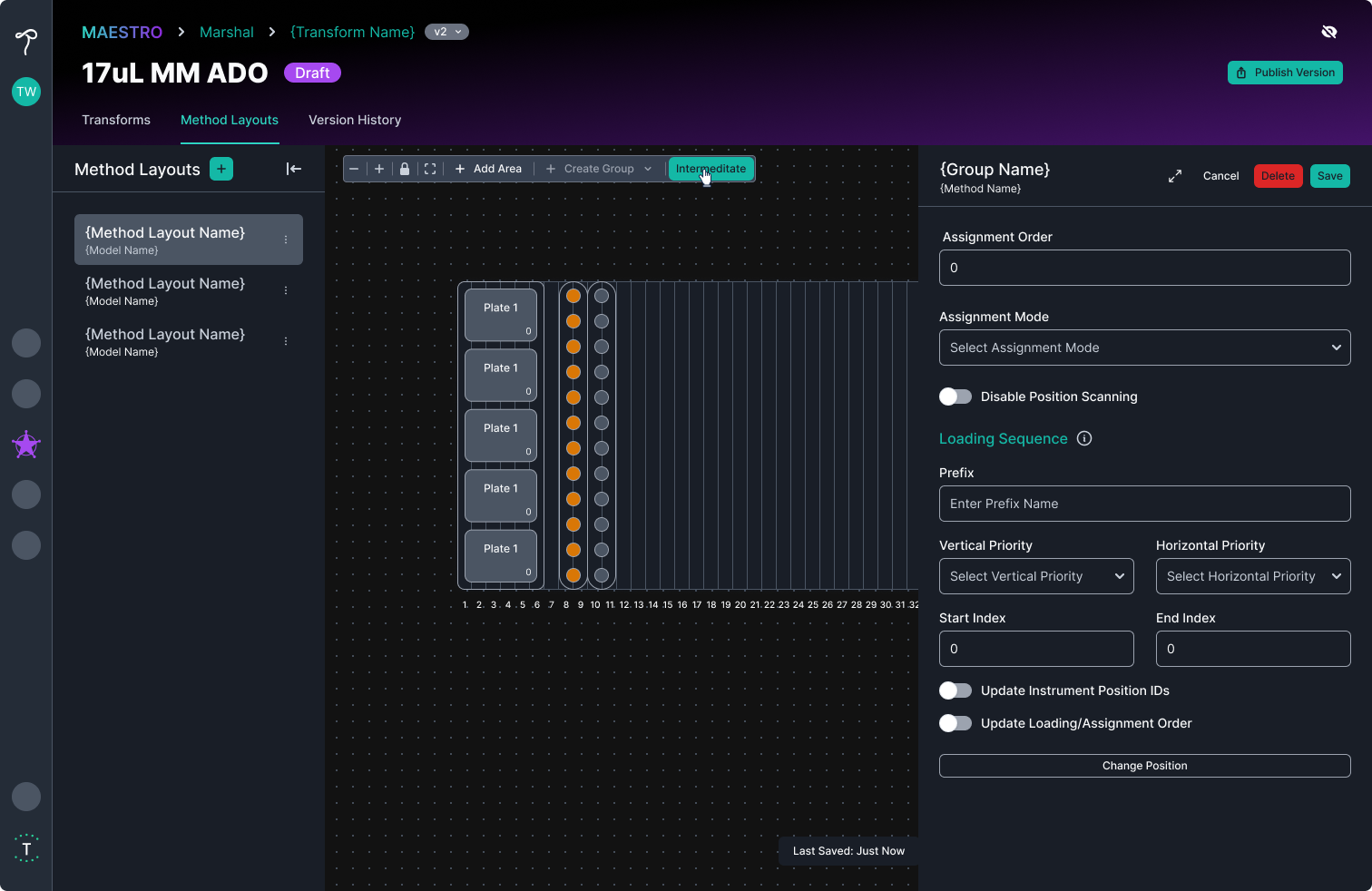
3. Instrument Visualization: Method layouts needed a visual representation of the instrument deck, allowing users to see plates and tubes, assign ports created in the node graph, and make bulk edits more efficiently.
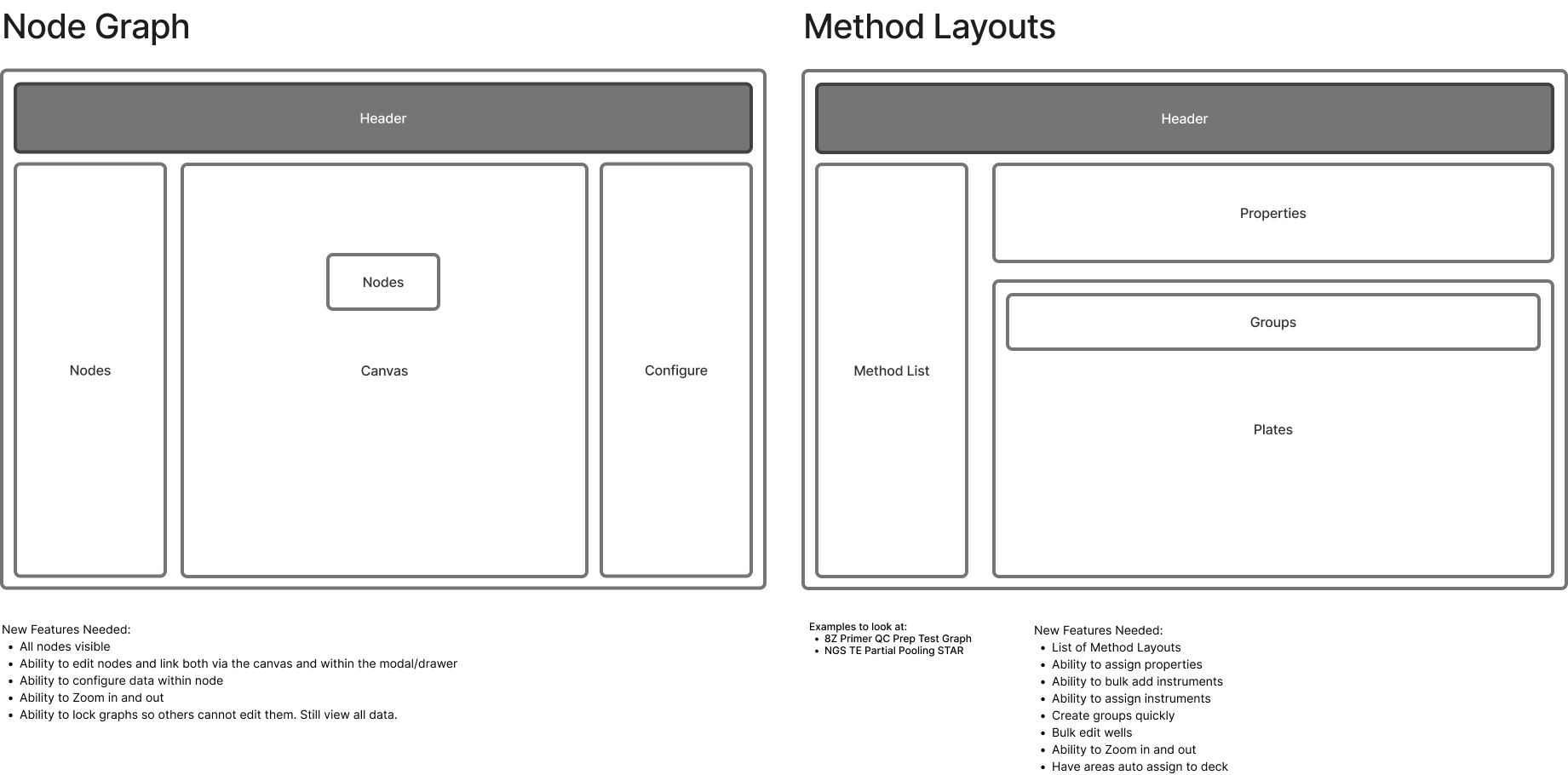
Knowing development resources would be limited, I started with the most technically complex feature: the node graph editor. I worked backward from this experience to ensure the rest of the application structure supported the new workflow model.
I researched existing node-based editors to understand common interaction patterns and identify solutions that could accelerate development. During this exploration, I discovered React Flow, a customizable React library for building node-based editors and interactive diagrams.
I tested React Flow within Cursor to understand how customizable it was and whether it could integrate with our existing React components and design system. Once I validated the technical approach, I moved into Figma to design the complete user experience, including the node interactions, workflow states, and supporting screens.
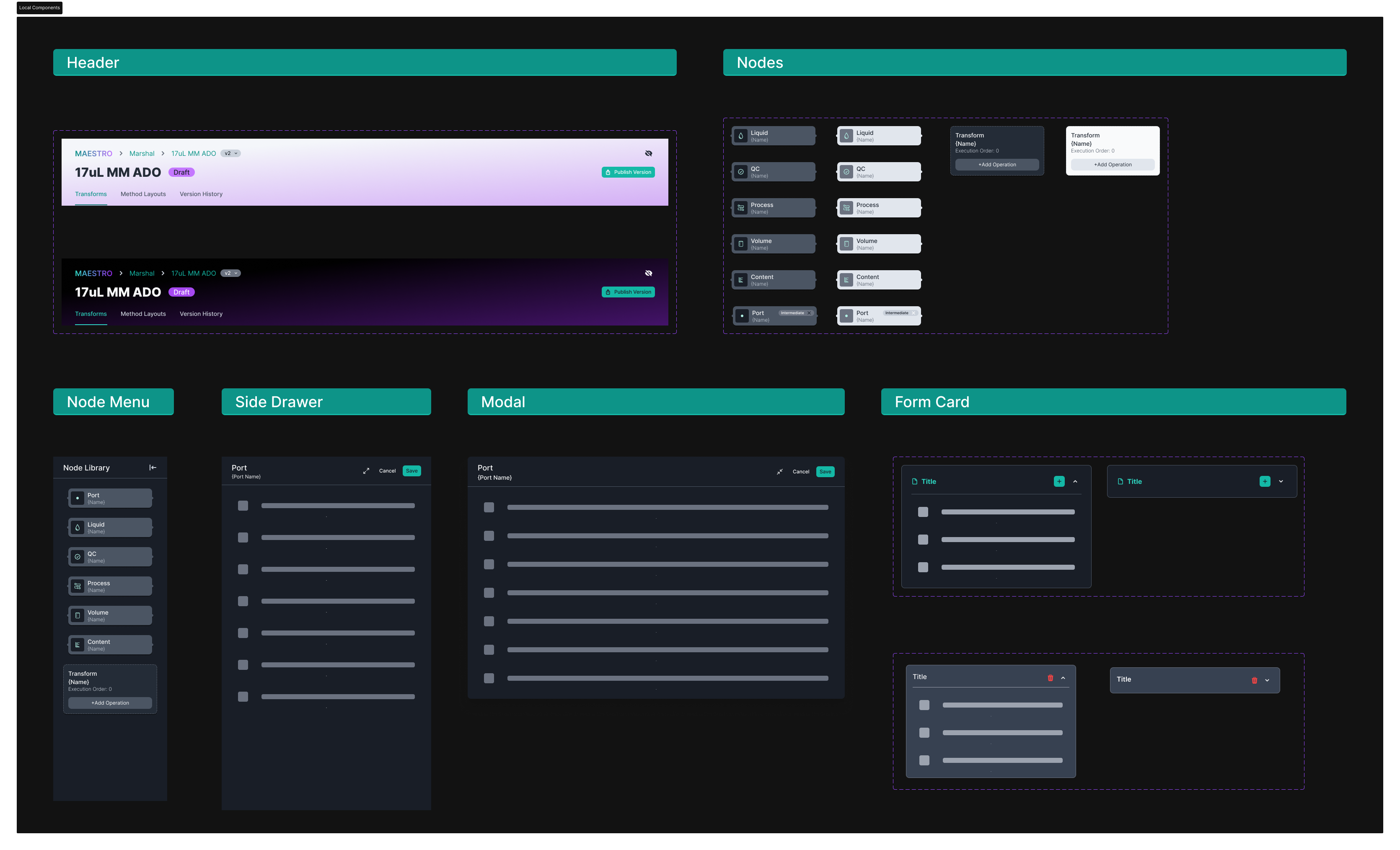
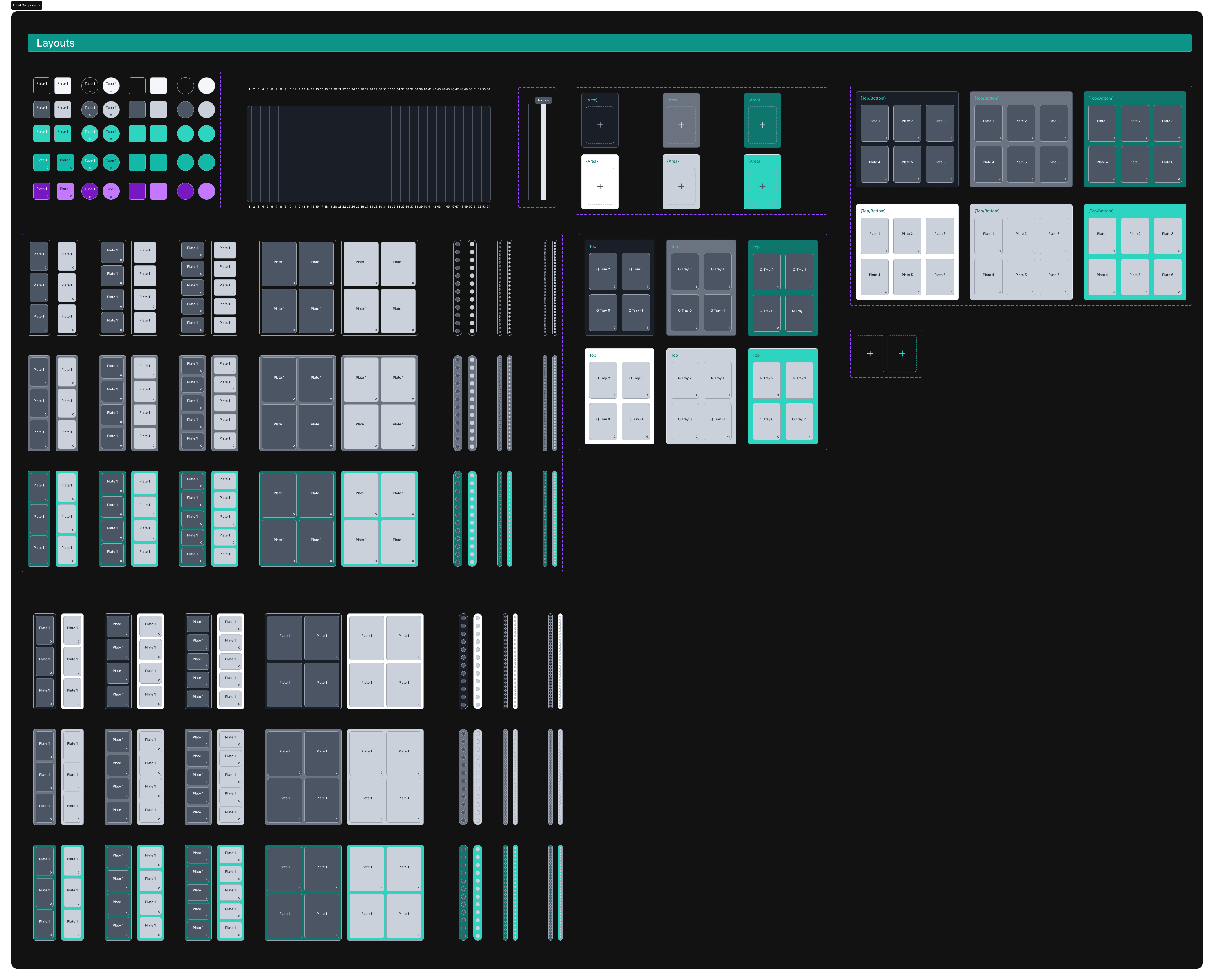
To bring the designs to life, I used Cursor’s development tools, Figma-to-code workflows, and my existing knowledge of HTML, CSS, and JSON to build the frontend experience.
This process required a new way of thinking about the relationship between design and development. I experimented with different ways of communicating design intent, refining prompts, and optimizing workflows to create efficient and accurate implementations.
After completing the frontend development, I collaborated with backend developers and QA to integrate functionality and ensure the application worked as intended. The application was deployed to a lower environment where I conducted user testing sessions with the R&D team, gathered feedback, and made iterative improvements based on their needs.
The final redesign addressed key usability challenges across the Marshal application by creating a more intuitive, visual workflow experience. The improvements I implemented helped users better understand complex processes and efficiently manage their workflows. The project also established a new design and development workflow, demonstrating how AI-assisted development tools could help accelerate the transition from design concepts to functional frontend experiences.
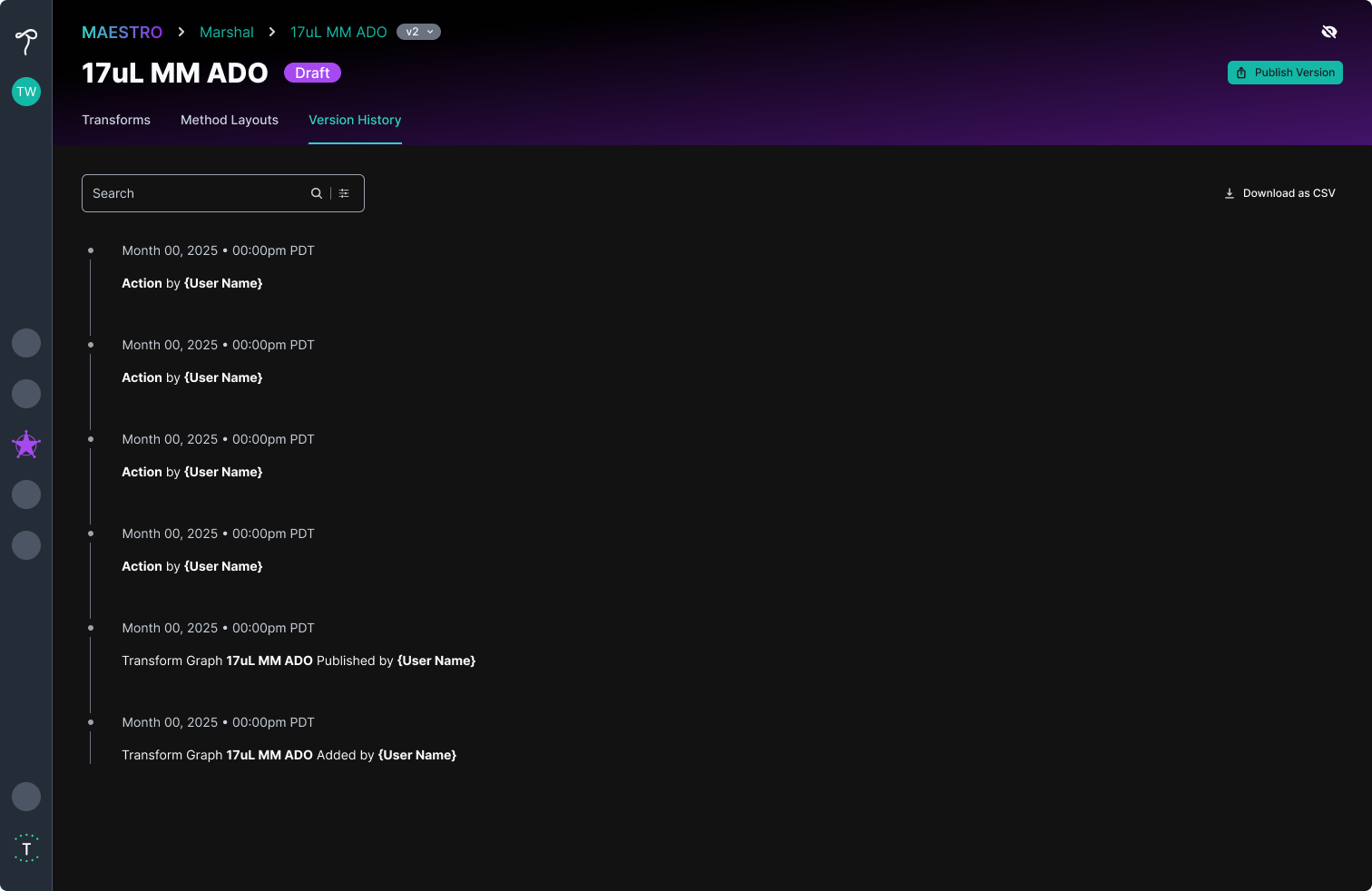
This project was a unique opportunity to expand my role beyond traditional product design. Designing a node graph editor pushed me to learn new interaction patterns and rethink how users visualize complex systems. Developing the frontend also challenged me to approach problems from an engineering perspective and understand how design decisions translate into functional products. Through this project, I became more comfortable incorporating AI tools into my workflow and helped establish a more efficient process between design and development. Following this project, I continued using these techniques to make smaller frontend improvements and usability enhancements across multiple applications. This experience reinforced the value of designers understanding both user needs and technical constraints. By bridging the gap between design and development, I was able to create solutions that were not only visually consistent but also practical and scalable.
I’m a UI/UX designer with a passion for creating user-centered experiences and a knack for solving problems. When I’m not designing, you’ll find me illustrating, reading, or chasing my Corgi, Buttercup, around the beach. Let’s make something awesome together!


